
Features
Everything the front desk needs.
A till that works without the Wi-Fi, keeps every person's takings straight and tells you how the day went.
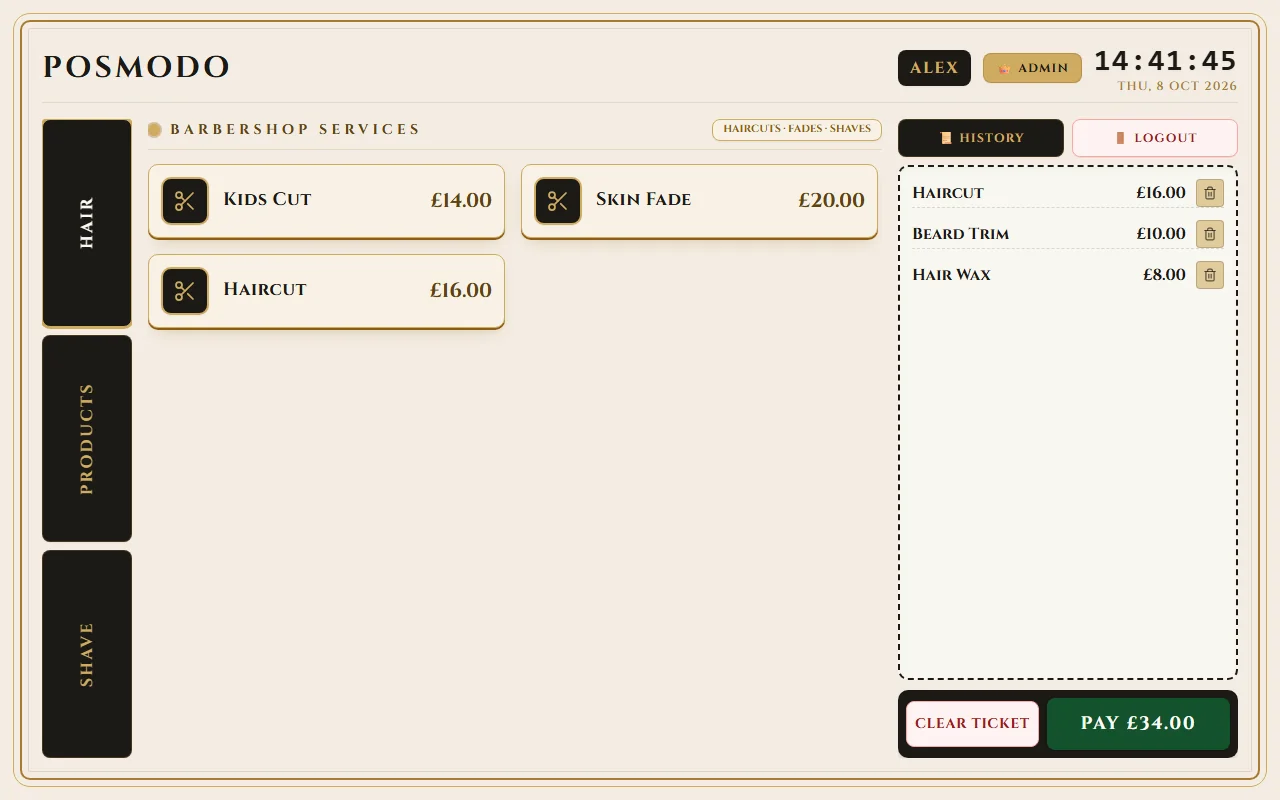
At the till
At the till
Fast daily selling on the front desk.
Quick PIN login
Pick your name, type your PIN, you're in. There's no login button to press, and it works without a connection.

Menu your way
Set up as many categories as you need, each with its own items, prices and icons. Retire an item without losing past sales.
Build the ticket, tap Pay
Tap products to build the ticket, then tap Pay and choose how the customer paid.

Your sales history
See the sales you've rung up, right on the till.

Payments & receipts
Payments and receipts
Record every payment and give customers clean receipts.
Every way to pay
Record cash, card terminal, PayPal and other payments. Add as many payment accounts as you need, and give each one an owner: the shop or a person.
Refunds
Full or partial. A refund counts in the report for the day it's given, not the day of the sale.
Receipts
Print receipts with your logo, address, VAT number and your own header and footer. Show a VAT breakdown if you want one. Connect a receipt printer in the printer settings.
Reports
Reports
Clear daily totals and searchable sales archives.
Daily reports
Pick a date and see orders, gross, refunds and net, split into cash, card and other.

X-reports
Print today's report at any time without closing anything.
Chair renter reports
Give a renter their own report and VAT number, kept apart from the shop's.
Find any sale
Filter by date range and by person, search the list, jump to Today, 7 days or This month, and export everything to CSV.

Your team
Your team
Simple access and separate sales tracking for every staff member.
Everyone has a PIN
Add your barbers and managers, choose who is an admin, and give each person their own PIN of up to four digits.

Sales stay with the person
Every sale is recorded under the person who rang it up, so reports show who took what.
Your look
Your look
Match the till to your shop's interior and counter setup.
Choose a colour palette, the menu position and the side the ticket sits on. Add your logo and shop details. Change any of it later in the setup wizard.

Offline and in sync
Offline and in sync
Work uninterrupted offline and sync automatically across devices.
Keeps selling without a connection
Tablets don't need the internet to take a sale or to log people in.
Catches up by itself
On the Shop server plan, tablets send their sales and pick up changes within seconds of being online again. If the connection drops, they keep working and catch up later.
Easy to reconnect
If a tablet can't reach the server it shows a Reconnect button. If the shop's server address changes, re-pair the tablet by scanning a QR code or typing the key.
Basic
Tablet
Everything stays on the tablet
Shop server
Shop server
More with the Shop server plan
Run multiple tills together with a dedicated local server.

Central control for every till
- Check the shop from any computer
- One menu, staff list and set of payment accounts for every tablet
- Orders from every tablet in one list, with refunds
- Pair a new tablet, or remove one you've lost
- Shop details and logo shared with every tablet
- Remote access
Your data
Your data
Local ownership, regular backups and penny-exact figures.
Backup and restore
One file holds your staff, menu, payment accounts, sales and settings. Save it or share it from the tablet, and restore it on any tablet. The screen shows when you last backed up.
Where it lives
On Basic your data stays on your tablet, so back it up regularly. On the Shop server plan it's stored on a server in your shop.
Exact money
Amounts are calculated to the penny, with no rounding surprises.
Good to know
Good to know
POSModo is a till. It records sales and produces reports. It doesn't process card payments or file VAT returns.